Exercise 9: Create a Complete Portfolio with HTML and CSS
How to create a portfolio website with HTML and CSS in videos
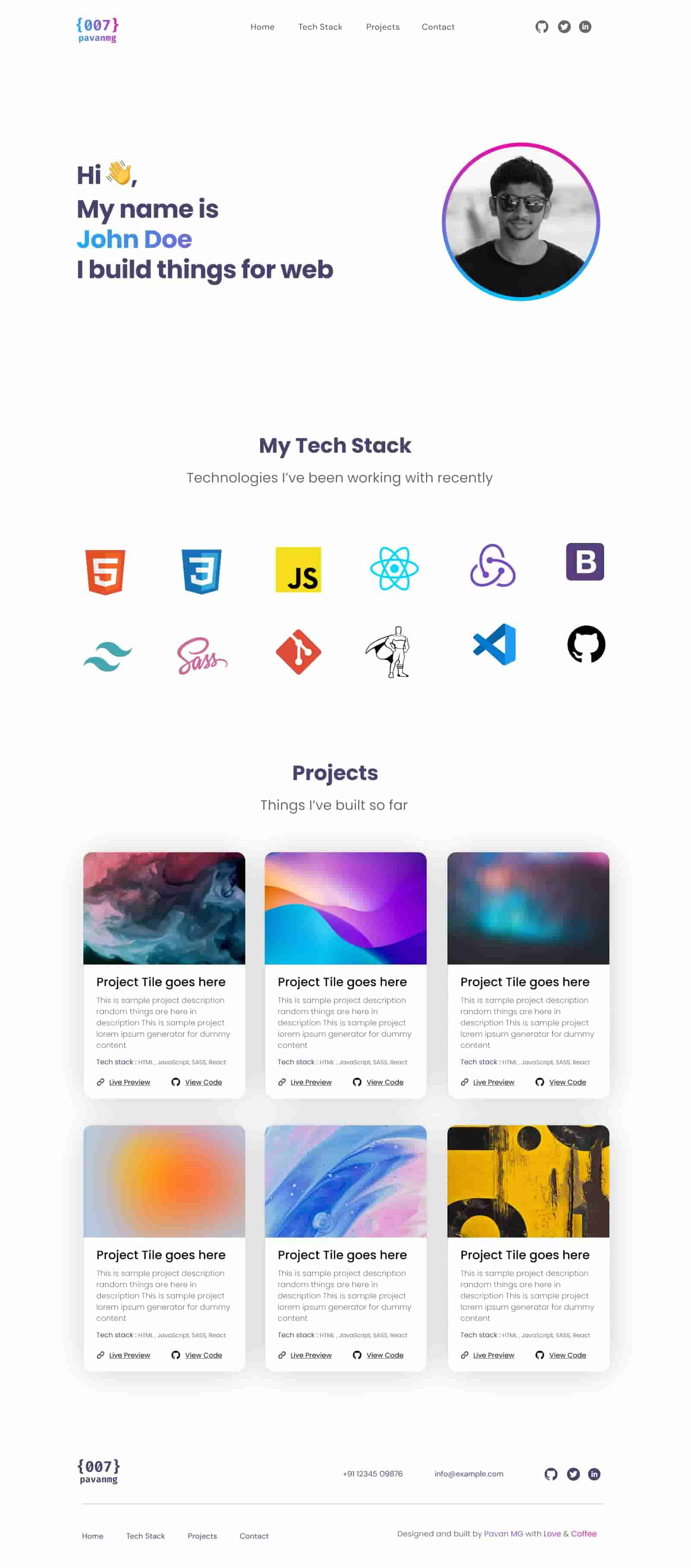
In this exercise, we will develop a complete web portfolio using HTML and CSS. For the design, we will follow the project by Pavan MG in Figma.
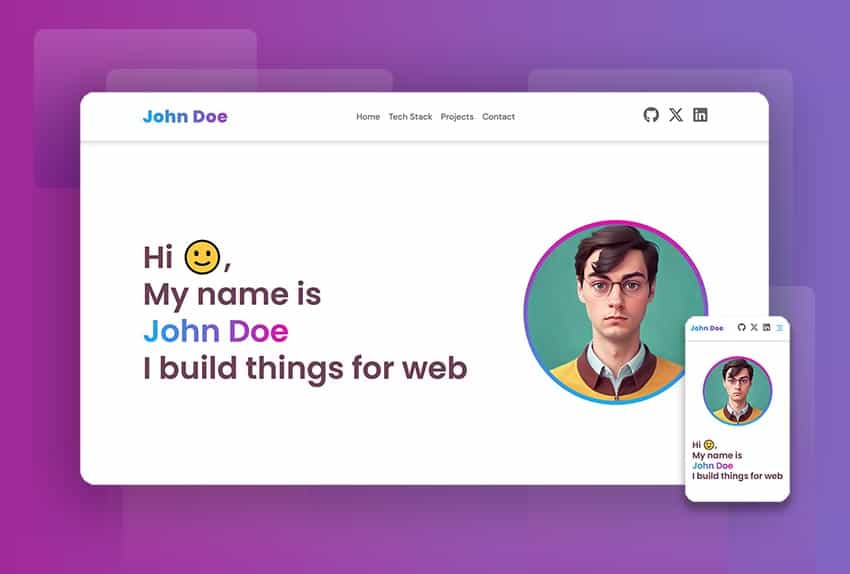
To complete this tutorial, you need a basic understanding of HTML and CSS. Otherwise, you can find free HTML and CSS tutorials here: HTML Fundamentals | Introduction to CSS
This project includes four distinct sections on a single page, with "anchor" links in a main menu for easy navigation.
Project Structure
The portfolio will consist of the following sections:
-
Main: The main section, which will include a header, a brief introduction, and a featured image.
-
Stack: Here you will detail the technology and tools you use, with icons and brief descriptions.
-
Projects: A gallery of your most important projects, each with an image, a title, and a brief description.
-
Footer: The footer, which will include links to your social media profiles and contact information.
Main Portfolio Image

Fonts
We're going to use two types of fonts. To install them, we'll add the following to our CSS file:
@import url("https://fonts.googleapis.com/css2?family=DM+Sans:ital,opsz,wght@0,9..40,100..1000;1,9..40,100..1000&display=swap");
@import url("https://fonts.googleapis.com/css2?family=DM+Sans:ital,opsz,wght@0,9..40,100..1000;1,9..40,100..1000&family=Poppins:ital,wght@0,100;0,200;0,300;0,400;0,500;0,600;0,700;0,800;0,900;1,100;1,200;1,300;1,400;1,500;1,600;1,700;1,800;1,900&display=swap");
In the following example, we can see how to use fonts imported from Google Fonts.
p {
  font-family: "Poppins", sans-serif;
}
h1 {
  font-family: "DM Sans", sans-serif;
}
General Styles
After importing the fonts, I recommend applying the following general styles to your CSS stylesheet.
html,
body {
  margin: 0;
  height: 100%;
  word-wrap: break-word;
  box-sizing: border-box;
  font-family: "Poppins", sans-serif;
  font-size: 16px;
}
Design Details
The images in each section include the most important dimensions. Additionally, each section specifies colors, styles, and font sizes.
1. Portfolio - Main Section
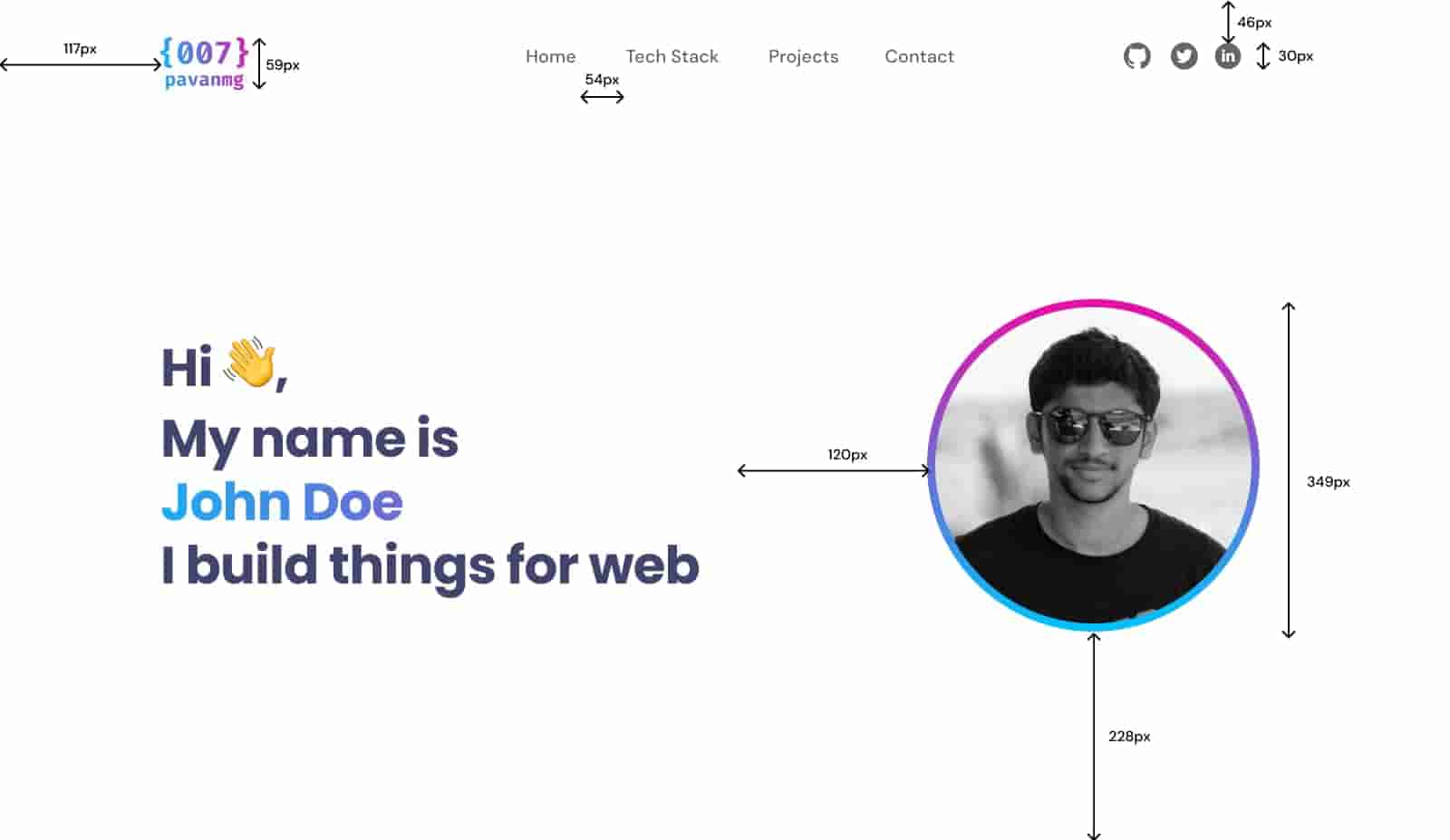
Main Section Design Details:
-
Logo: This can be an SVG or PNG image no taller than 60px, containing your name. You can also use full-space text.
-
Links: Font: "DM Sans", Medium, 20px, and color
#666 -
Icons: 30px x 30px in size, and
fillof#666.
Main text: Font "Poppins", Bold, 58px, color#42446Eand line spacing of -1px. Additionally, a fragment of the text has a gradient color that goes from 0% -#13B0F5100% -#E70FAA
- Main image: 350px circle with a gradient border that goes from 0% -
#E70FAA100% -#00C0FD.
2. Portfolio - Stack Section
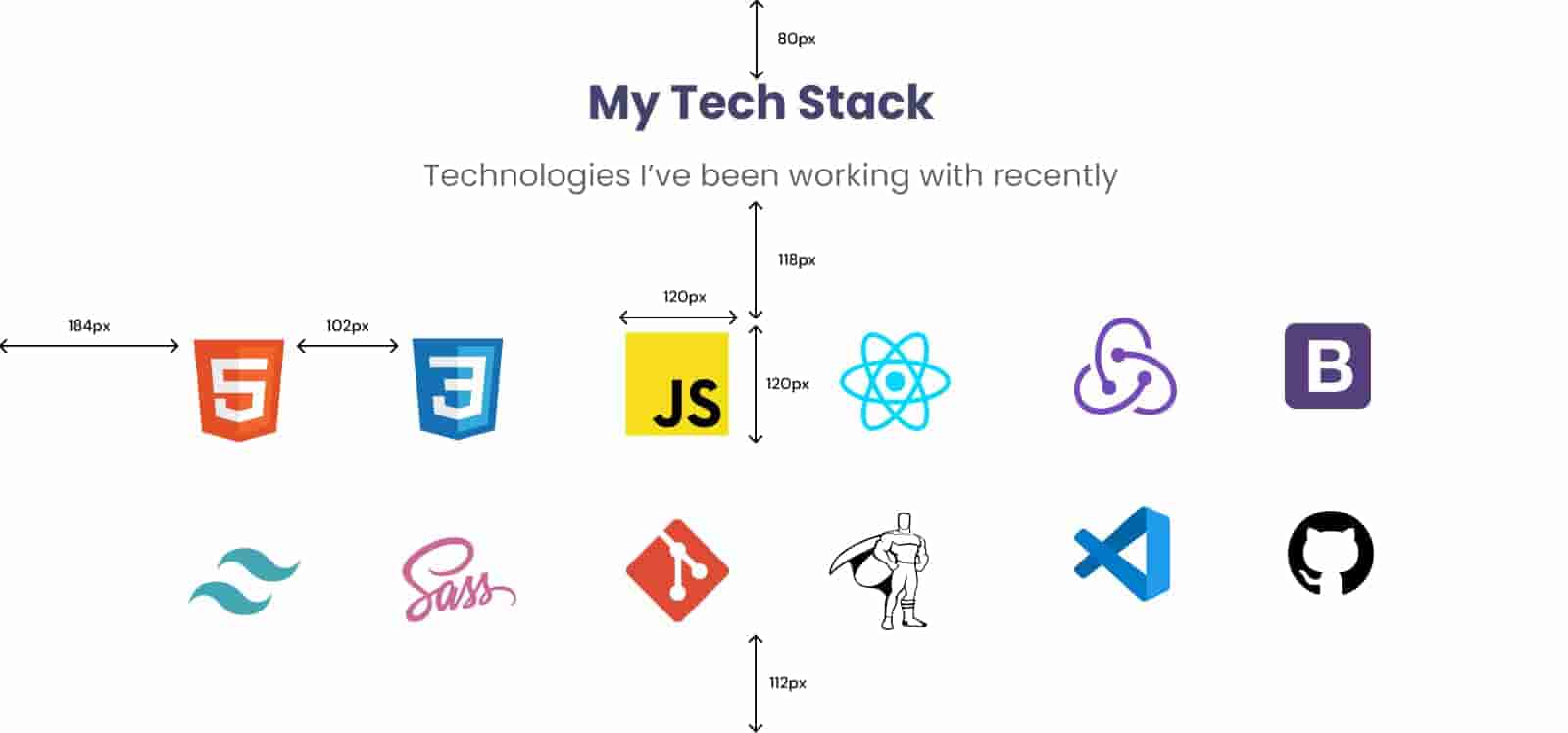
Stack Section Design Details:
- Title: Font: "Poppins", Bold, 48px, and color
#42446E
Subtitle: Font "Poppins", Regular, 32px, and color#666
- Icons: Container
div120px x 120px with 8px padding.
3. Portfolio - Projects Section
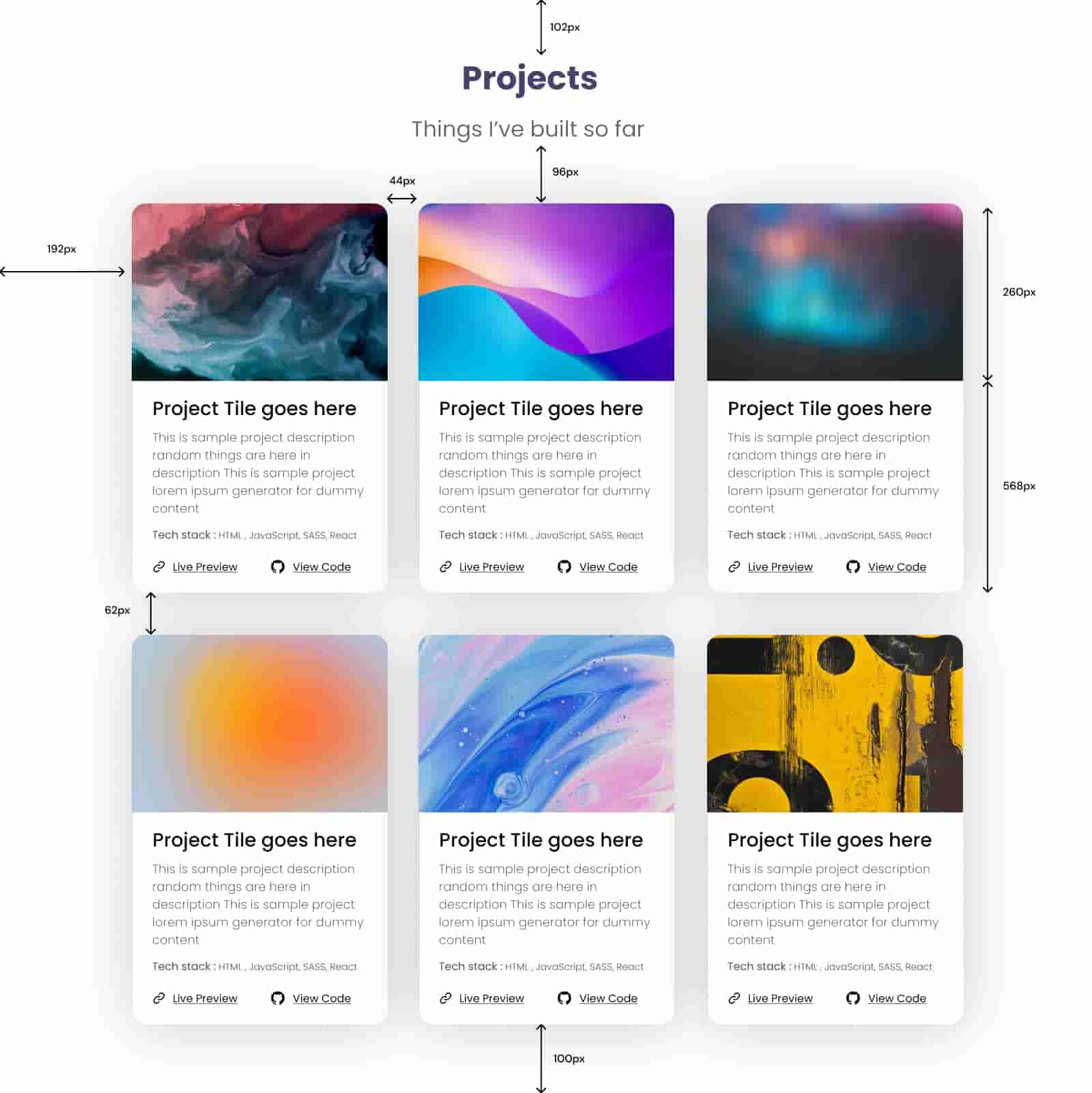
Projects Section Design Details:
- Card Titles: Font "Poppins", Bold, 48px, and color
#42446E.
Card paragraphs: Font "Poppins", Light, 18px, color#666and 0 line spacing.
- Tech stack of cards: Font "Poppins", Regular, 16px and color
#42446EWith a Light style snippet.
Links in card footer: Font "Poppins", Regular, 16px, color#000Icon size: 20px x 20px
4. Portfolio - Footer Section

Footer Section Design Details:
- Links: Font "Poppins", Regular, 18px, and color
#42446E.
5. Portfolio - Implementing Display Grid
6. Portfolio – Responsive and Media Queries
7. Portfolio - Responsive, Anchor Links, and Expandable Mobile Sidebar
8. Portfolio - JavaScript classList, css variables, logo and min-height 100vh
🔎Review the following sections where you will find more information on this topic: