Basic Structure of a Web Page in HTML: A Complete Guide with Examples
Learn how to create the basic structure of a web page in HTML. Discover its main elements with a clear, step-by-step example.

What is the structure of a web page?
Every website you see on the internet starts with a simple but fundamental structure: the HTML document. In this tutorial, you will learn to build your first web page from scratch, understanding each part of the basic HTML skeleton. From the declaration<!DOCTYPE html>even the labels<head> and <body>You'll discover how to shape your content and take the first step as a web developer.
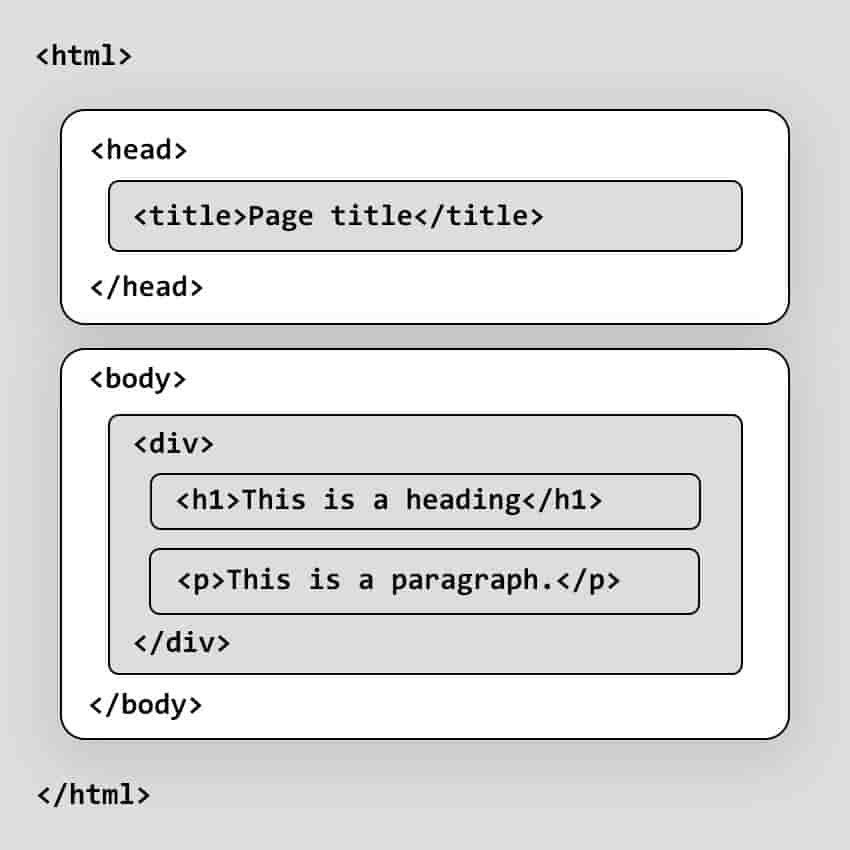
Every HTML document has a basic structure and begins with the declaration<!DOCTYPE html>followed by the label<html>Within this tag, we have two main sections:<head> and <body>
<!DOCTYPE html>
<html lang="es">
  <head>
    <title>Mi primera página web</title>
  </head>
  <body>
    <h1>¡Hola, mundo!</h1>
    <p>Este es mi primer documento HTML.</p>
  </body>
</html>
<!DOCTYPE html>This declaration defines the document type and the HTML version being used.
<html>It is the root of the HTML document andlang="es"Specify the content language.
<head>It contains meta-information about the document, such as the title and links toCSS stylesheetsor scripts.<title>Defines the title of the document that appears in the browser tab.
<body>It contains the visible part of the web page, such as headings, paragraphs, images, links, etc.
Graphic outline of a basic HTML structure
-
Common elements and tags: Elements and tags in HTML
-
Semantic tags: Use of semantic tags in HTML
-
More about website structure: MDN Web structure and documentation.
💻Try this basic exercise on HTML structure: